Atdec
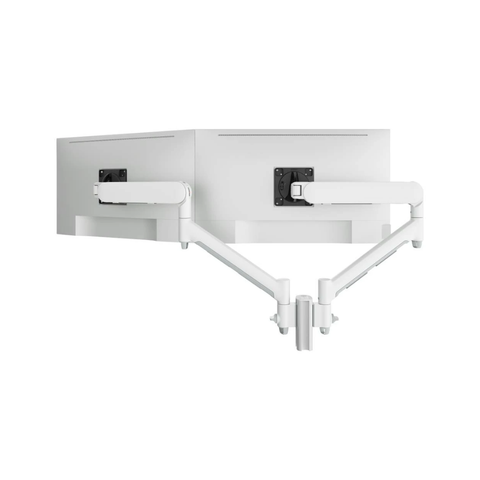
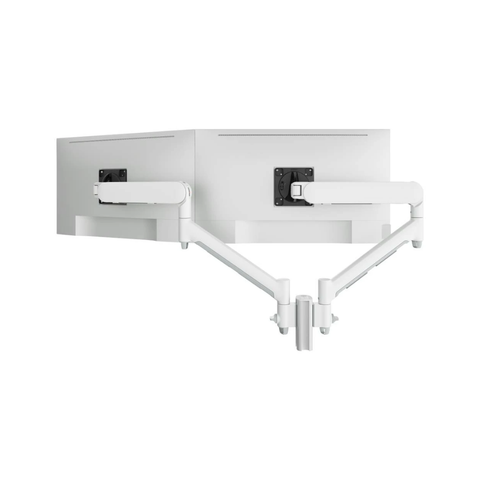
Atdec Dual Dynamic Monitor Arm Mount on Short Post - Heavy-Duty F-Clamp - White
$794.20
In Stock
Reliable business cabling and adapters from Anker, Belkin, StarTech, Comsol, Shintaro, J5create and Tripp Lite. USB-C and Thunderbolt cables, HDMI/DisplayPort leads, Cat6/Cat7/Cat8 Ethernet, fibre optic patch leads, and a full range of USB hubs and dongles. Genuine Australian stock, free shipping over $99, and bulk pricing for office rollouts. Email contact@techkingdom.com.au or call 1300 797 866.
Cables look interchangeable but they aren't — a cheap USB-C lead can throttle a 4K monitor or fail to charge a laptop, and the wrong Ethernet cable can cap a gigabit link at 100Mbps. Here's how to specify cabling and adapters correctly for an Australian office.
Not all USB-C cables are equal. A USB 2.0 Type-C charge cable handles power but caps data at 480Mbps — fine for phones, useless for docks. USB 3.2 Gen 2 (10Gbps) and USB4 / Thunderbolt 4 (40Gbps) are required for 4K display passthrough, fast SSDs and full-speed dock operation. Look for the watt rating (60W, 100W, 240W) for laptop charging. Anker, Belkin and StarTech publish full spec sheets — avoid generic cables. Shop USB-C cables.
For 4K/60Hz video, use HDMI 2.0 or higher; for 4K/120Hz or 8K, you need HDMI 2.1 (Ultra High Speed). DisplayPort 1.4 drives 4K/120Hz and 8K/30Hz with DSC; DisplayPort 2.1 handles 8K/60Hz. Belkin, StarTech and Comsol all sell certified leads in 1m, 2m, 3m and 5m runs. For runs longer than 10m, consider an active optical HDMI/DP cable rather than passive copper. Browse HDMI & DisplayPort.
For a standard gigabit office, Cat6 is the minimum. Cat6A (shielded, 10GBASE-T to 100m) is now the recommended floor for new structured cabling, especially on Wi-Fi 6/6E APs that benefit from multi-gigabit backhaul. Cat7 and Cat8 are overkill for most offices but worth considering for short server-room runs or 25/40Gbps top-of-rack links. Always specify shielded (S/FTP) leads in industrial environments and pure-copper conductors — avoid CCA (copper-clad aluminium). Shop Ethernet cables.
Multimode (OM3/OM4/OM5) fibre is colour-coded aqua/lime and used for short-distance data centre and inter-floor links up to a few hundred metres. Singlemode (OS2) in yellow is for long-distance and ISP backhaul. Common connector types are LC, SC and MTP/MPO. Match connector polish (UPC blue, APC green) to your transceivers — they aren't interchangeable. We stock LC-LC, LC-SC, SC-SC and MTP patch leads in custom lengths. Search fibre patch leads.
Modern thin-and-light laptops ship with two or three USB-C ports and nothing else. A USB-C hub from Anker, Belkin or J5create adds HDMI, Ethernet, USB-A, SD card and pass-through PD charging — much cheaper than a full dock for hot-desk use. For a single fixed desk with multiple monitors, step up to a proper docking station. We also stock single-purpose adapters: USB-C to HDMI, USB-C to Ethernet, USB-A to USB-C, mini DisplayPort to HDMI and more. Shop USB hubs & adapters.
Cabling is one of the easiest categories to bulk-buy and standardise. We supply Belkin, StarTech and Comsol leads to Australian offices in cartons of 10, 25 and 100 with trade pricing and same-day dispatch. Get a bulk quote.
The leads and dongles Australian offices keep ordering — USB-C charge cables, Cat6A patch leads, HDMI runs and J5create hubs. Browse the full Cables & Adapters Collection or contact us for a tailored bundle.
USB-C cables come in 60W, 100W and 240W power ratings — most laptops need at least 65W, and gaming or workstation laptops want 100-140W. A 60W cable from a phone charger will throttle a laptop to slow charging or fail to charge under load. Always match the cable wattage to the charger and laptop, and look for USB-IF certified leads from Anker, Belkin or StarTech.
Both run 10 gigabit Ethernet, but Cat6 only does 10GbE up to 55 metres, while Cat6A runs the full 100m channel and has tighter shielding to reduce alien crosstalk. For a new office build or any Wi-Fi 6/6E AP run, specify Cat6A. Cat6 is fine for short patch leads from wall plate to desk.
For most office monitors at 4K/60Hz, HDMI 2.0 (or "Premium High Speed" certified leads) is enough. You only need HDMI 2.1 / Ultra High Speed for 4K/120Hz, 8K, or features like VRR and ALLM on a gaming or video editing setup. The difference in cable cost is small — when in doubt, fit HDMI 2.1.
Yes — but specify the right jacket. External-grade UV-resistant cable for outdoor runs, and plenum-rated (LSZH) cable for return-air ceiling spaces in commercial fitouts. Standard PVC-jacketed indoor cable is not legal for plenum spaces under most Australian fire codes. Ask us if you're unsure.
Yes. We supply Comsol, Belkin and StarTech patch leads in standard lengths from 0.3m to 50m, and can source custom-cut, custom-coloured runs in bulk for office fitouts. Email contact@techkingdom.com.au or call 1300 797 866 with your length list and quantity.
We supply Australian businesses with full cabling kits — Cat6A patch panels, runs, USB-C and HDMI leads — at trade pricing with same-day dispatch.
Get Bulk QuoteHand-picked top sellers from the category. All in stock with same-business-day dispatch.
Atdec