Webcams Australia | 4K, 1080p HD, Conference & Streaming Cameras
Business-grade webcams from Logitech, Jabra, Dell, HP, Microsoft and Razer. From 1080p HD desk webcams to 4K conference room cameras and streaming-ready models with built-in mics. Genuine Australian stock, manufacturer warranty, free shipping over $99 and trade pricing for office rollouts. Email contact@techkingdom.com.au or call 1300 797 866.
Top Webcam Brands
How to Choose the Right Webcam
The webcam market splits cleanly into four jobs: desk-mounted personal cameras for video calls, conference room cameras for shared meeting spaces, streaming cameras for content creators, and all-in-one models with built-in mics for hot-desks. Here's how to choose for each use case.
1. 4K webcams — for premium personal video
A 4K webcam like the Logitech Brio 500/505, Dell UltraSharp WB7022 or Razer Kiyo Pro Ultra delivers crisp video for executive meetings, presentations and content creation. Look for HDR, auto-framing and AI background blur. Most 4K models downscale to 1080p for Teams and Zoom (which cap at 1080p) but still benefit from the larger sensor for low-light performance and digital zoom. Search 4K webcams.
2. 1080p HD webcams — the office standard
For day-to-day Teams and Zoom calls, a 1080p webcam hits the value sweet spot. The Logitech C920 and Logitech C930e remain the most-deployed business webcams in Australia — proven, certified for Teams and Zoom, and available with bulk pricing. The Microsoft Modern Webcam, HP 960 4K (downscaled) and Jabra PanaCast 20 also deliver excellent 1080p output. Browse 1080p webcams.
3. Conference room cameras — for shared meeting spaces
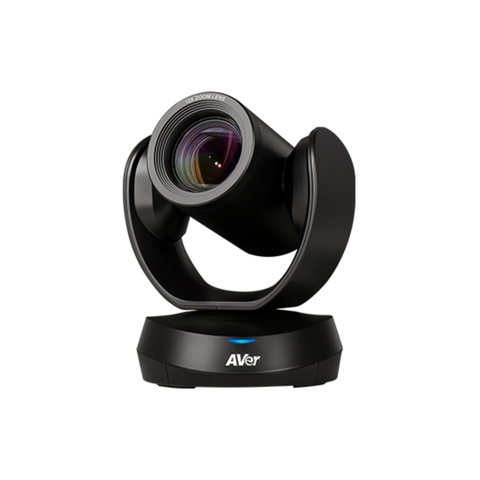
Conference room cameras use ultra-wide lenses (90-180 degrees) and AI-driven framing to capture every seat at the table. The Jabra PanaCast 50 (180-degree, room-bar form factor), Logitech Rally Bar and MeetUp 2, and Dell wide-angle conference cams suit huddle rooms through to large boardrooms. Look for Microsoft Teams Rooms or Zoom Rooms certification, and consider integrated speakerphone bars to simplify installs. Shop conference cameras.
4. Streaming webcams — for content creators
Streamers and presenters benefit from features standard office webcams skip: 60fps capture, manual exposure, real ring-light fill or chromatic balance for green-screen replacement. The Logitech Brio (4K60), Razer Kiyo (built-in ring light) and Razer Kiyo Pro Ultra (Sony Starvis sensor) lead the streaming category. Pair with OBS or Streamlabs and a USB capture lighting kit for a polished result. Search streaming webcams.
5. Built-in mic webcams — for hot-desks and hybrid work
If you don't want a separate headset or speakerphone, choose a webcam with a quality dual-array beamforming mic. The Logitech C920, Brio 500, Jabra PanaCast 20 and Microsoft Modern Webcam all include capable mics — fine for one-person calls in a quiet office. For meeting rooms or noisier desks, pair the camera with a dedicated speakerphone (Jabra Speak2, Poly Sync) for noticeably better far-end audio. Browse webcams with mics.
6. Bulk-buying for an office
Standardising on the Logitech C920, C930e or Brio 500 across the team simplifies IT support and asset tracking. We supply Logitech, Jabra and Dell webcams in bulk to Australian businesses with same-day dispatch and trade pricing. Get a bulk quote.
Most Popular Webcams in Australia (2026)
The most-shipped business webcams this year — from the proven Logitech C920 to 4K and conference-room models. Browse our full Webcams Collection or contact our team for a tailored recommendation.
Frequently Asked Questions
Is a 4K webcam worth it for Teams or Zoom?
Microsoft Teams and Zoom both cap video at 1080p, so a 4K sensor doesn't directly deliver a 4K stream. However, the larger sensor on a 4K webcam (Logitech Brio, Razer Kiyo Pro Ultra, Dell UltraSharp) delivers visibly better low-light performance, sharper digital zoom and HDR — useful in dim home offices and for content creation. For a fluorescent-lit office, the Logitech C920 or C930e at 1080p is plenty.
What's the difference between Logitech C920 and C930e?
The Logitech C930e adds a wider 90-degree field of view, H.264 hardware encoding (lower CPU usage), and Microsoft Teams + Zoom certification — designed for business deployments. The C920 is the consumer/SMB model with a 78-degree FOV. Both shoot 1080p30. Choose the C930e for Teams-certified rollouts; the C920 for general personal use at a lower price.
Do I need a conference camera or just a personal webcam?
For huddle rooms (3-4 people) or boardrooms, use a dedicated conference camera like the Jabra PanaCast 50, Logitech Rally Bar or MeetUp 2 — they have wide-angle lenses, AI framing and integrated speakerphones designed to capture everyone. A personal webcam only frames one person at a desk and won't pick up audio across a conference table.
Do these webcams work with Mac, Linux and Chromebook?
Yes — all Logitech, Jabra, Dell, HP and Microsoft webcams are UVC-compliant and work plug-and-play on macOS, Linux, ChromeOS and Windows 10/11. No drivers required for basic 1080p video. Vendor apps (Logi Tune, Jabra Direct) optionally enable advanced features like field-of-view adjustment, exposure tweaks and auto-framing.
Can I get bulk pricing for a 50-person office?
Yes. Orders of 5+ webcams qualify for trade pricing. For 50+ units, we typically deliver 15-20% off RRP plus same-day dispatch from Australian stock. Request a quote or call 1300 797 866 with your unit count and preferred model.
Standardising your office on one webcam model?
We help Australian businesses roll out 5-500 webcams at a time across Logitech, Jabra and Dell ranges. Get a custom quote with bulk pricing.
Get Bulk QuoteTop Webcams
Hand-picked top sellers from the category. All in stock with same-business-day dispatch.
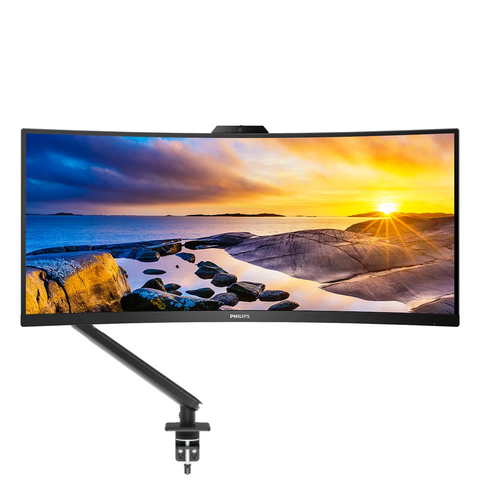
Philips
Mount Up! Bundle. 34" UWQHD 100Hz UltraWide Curved Monitor, 5MP Webcam & Ergonomic Arm
$1,043.30
In Stock