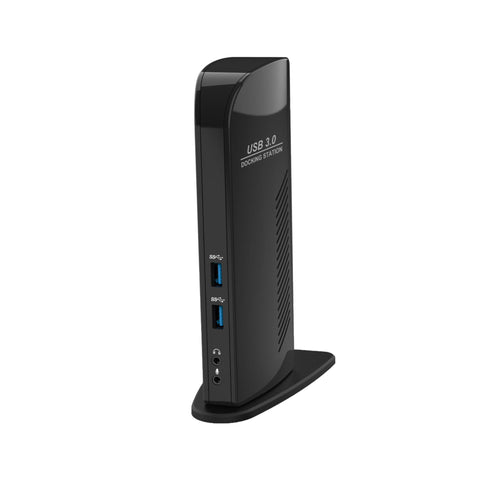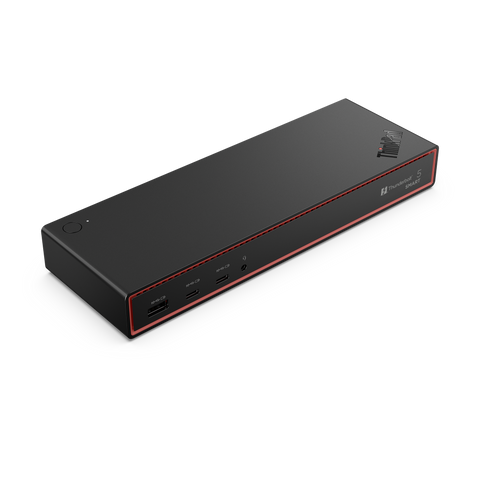
USB-C & Thunderbolt Docking Stations Australia
Single-cable docks for MacBook Pro, Dell, HP, and Lenovo laptops. Browse Thunderbolt 4, USB-C, and dual-monitor docking stations from CalDigit, Anker, Belkin, Lenovo, and j5create.
Top Docking Station Brands
How to Choose the Right Docking Station
A good dock turns your laptop into a full desktop workstation with a single cable. The wrong dock leaves you frustrated with display flicker, charging issues, and missing ports. Here's how to pick.
1. Match the dock to your laptop's port
- Thunderbolt 4 / USB4 dock — Best performance, dual 4K displays, 40Gbps. Required for MacBook Pro M-series and most modern Dell/HP business laptops with TB4 ports. ($300-$700)
- USB-C dock (DisplayLink) — Works with any USB-C laptop, supports dual displays via software. Best for mixed laptop fleets. ($150-$400)
- USB-C native dock — Cheaper, supports one external display. Best for single-monitor setups. ($80-$200)
2. Check the power delivery
Your dock should provide enough wattage to charge your laptop. Common requirements:
- 13"-14" laptops: 65W minimum (most ultrabooks)
- 15"-16" business laptops: 90-100W (Dell Latitude 7440, HP EliteBook 800)
- MacBook Pro 14": 96W
- MacBook Pro 16": 140W
- Workstation laptops: 180-230W (often need separate power brick)
3. Count your displays
- Single 4K @ 60Hz — Any USB-C dock works
- Dual 4K @ 60Hz — Need Thunderbolt 4 dock OR DisplayLink dock
- Triple 4K @ 60Hz — Need premium dock (CalDigit TS4, Anker 778) or specialised DisplayLink unit
- Ultrawide 5K2K @ 60Hz — Only Thunderbolt 4/USB4 supports this fully
Note: Mac laptops have specific limits — base M1/M2 MacBook Air supports only one external display via USB-C.
4. Ports you'll actually use
Don't get distracted by port-count marketing. The ports that matter:
- HDMI/DisplayPort (1-3 ports for monitors)
- USB-A 3.2 (3-4 ports for keyboard, mouse, webcam, dongle)
- USB-C downstream (1-2 for fast SSDs and peripherals)
- Gigabit Ethernet (essential for office networks)
- SD card slot (only if you're a creator)
- 3.5mm audio jack (only if you don't use wireless headsets)
5. Future-proof with Thunderbolt 4
If your laptop supports it, a Thunderbolt 4 dock is the safer long-term buy. It works with USB-C laptops too (downgrades gracefully), supports 8K displays, and 40Gbps data speeds for fast SSDs.
Read our full Best Docking Stations for MacBook Pro 2026 guide.
Most Popular Docking Stations
The docks Australian businesses are buying most this year. Need help speccing for your team? Talk to our team.
Frequently Asked Questions
What's the difference between USB-C and Thunderbolt docks?
Thunderbolt 4 docks deliver up to 40Gbps and natively drive dual 4K displays. USB-C docks max out at 10Gbps and typically support one external display natively (or two via DisplayLink). For mixed laptop fleets including older USB-C only models, a USB-C dock is more compatible. For modern laptops with Thunderbolt 4, the TB4 dock is the better long-term buy.
Will a USB-C dock charge my laptop?
Yes, if it has Power Delivery (PD) at the right wattage. Check your laptop's charger label — match or exceed it. Most ultrabooks need 65W, business laptops 90-100W, MacBook Pro 16" needs 140W. Read our USB-C Power Delivery guide.
Can I run two 4K monitors from a USB-C laptop?
Depends on your laptop. Thunderbolt 4 / USB4 laptops: yes natively. Most other USB-C laptops: yes via a DisplayLink dock (CalDigit, Lenovo, Plugable). Base M1/M2 MacBook Air: only one external display unless using DisplayLink workaround.
Are docking stations brand-locked?
No — modern Thunderbolt 4 and USB-C docks are universal across Windows, macOS, ChromeOS, and Linux. Some manufacturer-specific docks (Dell WD22, Lenovo ThinkPad Hybrid) work better with their respective laptops but most third-party docks (CalDigit, Anker, Belkin) work with any compliant device.
Do you supply docks for office rollouts?
Yes — we supply Lenovo, Dell, HP, CalDigit, Anker, and Belkin docks in bulk to Australian offices. Volume pricing on 5+ units. Request a fleet quote.
Rolling out docking stations across your team?
We supply 5-500 docks at a time with bulk pricing and same-day dispatch. Get a custom quote.
Get Bulk QuoteTop Docking Stations
Hand-picked top sellers from the category. All in stock with same-business-day dispatch.
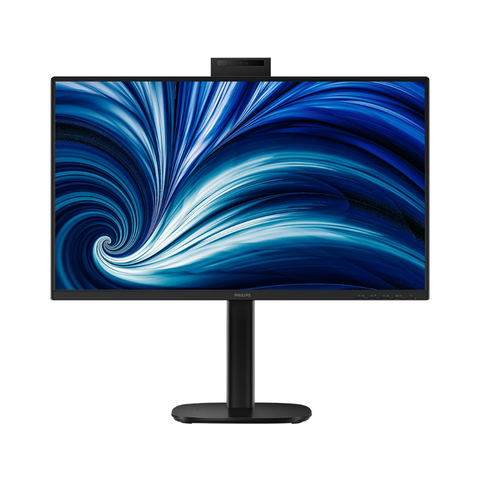
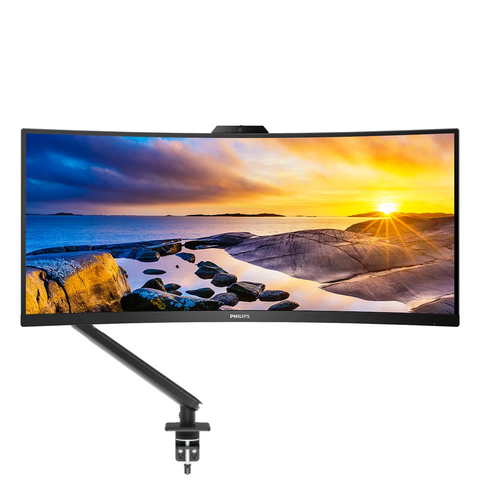
Philips
Mount Up! Bundle. 34" UWQHD 100Hz UltraWide Curved Monitor, 5MP Webcam & Ergonomic Arm
$1,043.30
In Stock